How long does it take to build
a dental practice website?
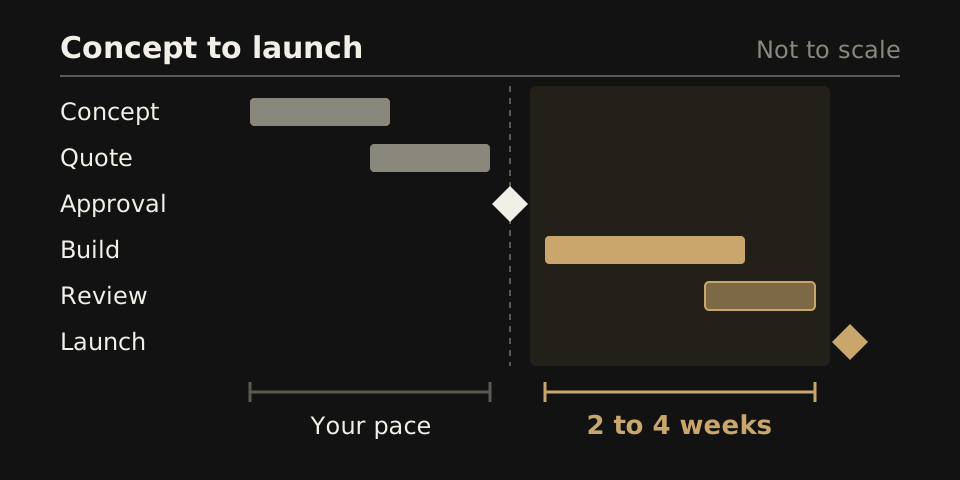
The clock starts the day you approve the design direction. Below is each stage, split into what the studio does and what your practice hands over.
The short answer
The short answer for your team
Most WTM Studio dental sites launch 2 to 4 weeks after you approve the design direction. The time before that approval has no fixed length, because it runs on how fast your practice replies to the concept and the quote.
A practice that answers in one email, from one decision maker, reaches approval sooner than one that waits for the next partners' meeting.
The fastest route is on your side: one approver, a full day one folder and one list of review changes. Our dental website design page shows how we plan a practice site.
Six stages, and what each one asks of you
Each stage below has two lists: what we do and what you owe. Watch the second list. It is the part only your practice can speed up.
Concept
We do: look at your current site, then build a free homepage concept you can open in a browser and check on your own phone.
You owe: your current web address and the treatments you most want booked. Then reply once you have opened the concept.
Quote
We do: agree the page types, content, booking connections, migration plan and launch timeline, then send one flat quote. Redesigns typically run $6,000 to $30,000, paid one time. See pricing and terms.
You owe: a count of offices, providers and services, the name of your booking tool, and a decision on who writes the treatment copy.
Approval
We do: confirm the design direction and scope in writing. This is the moment the 2 to 4 week clock starts.
You owe: one person with final say. If three partners must all sign off, put them in the same room for this one decision.
Build
We do: write the pages and build the site to the approved design. Before it starts, list every page: home, team, insurance, new patients, contact and one per main treatment. The 2 to 4 weeks covers that list, not pages added halfway through.
You owe: photos, provider bios, the insurance plans you accept, and admin access to the booking tool.
Review
We do: send you a private link to the working site before anything goes public.
You owe: one combined list of changes, checked on a phone. Tap every book and call button yourself on cellular data, not office wifi, and send one test booking request to confirm it reaches the inbox the front desk reads.
Launch
We do: point the domain, redirect old pages that still bring in patients, and check the launch with you. Our redesign SEO checklist covers the redirects.
You owe: the domain login, and a word with the front desk about where new booking requests will land. Now you can tell the team it is done.
What makes it slower
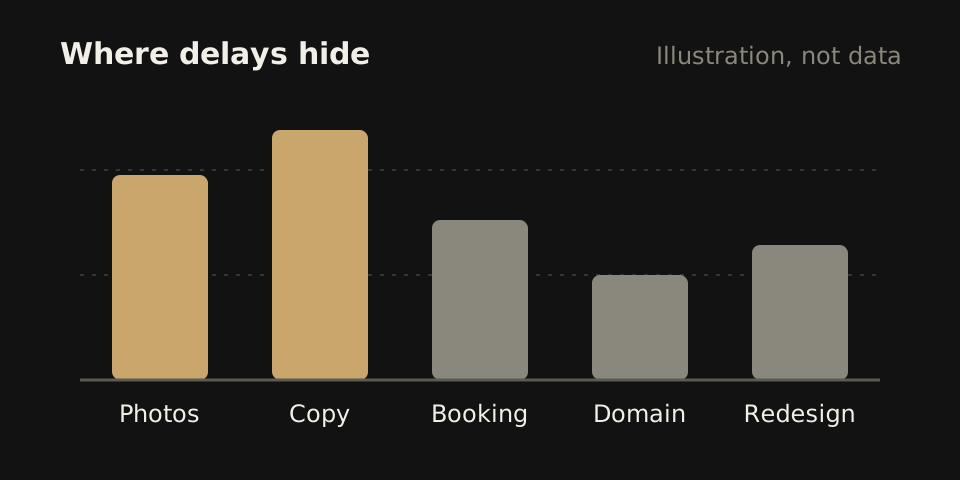
No row below is a coding problem. Each one is something sitting in an inbox or a desk drawer at the practice.
| What stalls | Why it holds up the build | How to avoid it |
|---|---|---|
| Late photos | Doctor and team pages cannot be finished, and the homepage waits on its main image. | Book the photo session before approval, not after. |
| Treatment copy | An implant page needs accurate words about how your practice places implants, and nobody outside the practice can write that alone. | Decide at the quote stage who writes each page, and name one dentist to check clinical claims. |
| Booking tool access | The book button cannot be wired to the right schedule without a login, or an admin who approves us. | Find out now who holds the admin account, and ask them to add us before the build starts. |
| Domain login | Launch day stops if nobody can change where the domain points. | Look up where the domain is registered and test the login. If a former web company holds it, ask for it in writing today. |
| New provider added mid build | A new dentist means a new profile and photo, and sometimes new services on several pages. | Tell us the moment a hire is confirmed, even before the start date, so the page is planned in. |
| A second round of redesign | Changing direction after approval sends the work back to the concept, and the 2 to 4 week count starts again. | Show the concept to every decision maker before you approve it. Approval should mean the direction is settled. |
What to have ready on day one
Put these in one shared folder before you approve the design direction. We will ask for each item during the build, and a missing one stops the clock.
- Logins: domain registrar, current website host, booking tool admin and the email inbox that gets web form messages.
- People: full name, title, credentials and a short bio for every dentist and hygienist who should appear.
- Photos: provider headshots, the team, the front desk, an operatory and the outside of the building.
- Services: the treatments you offer today, ranked by what you most want booked.
- Insurance: the plans you accept, and what you want out-of-network patients to read.
- Office details: address, phone, hours and parking notes for each office.
- Old pages that matter: any page patients mention on the phone, so it gets a redirect.
- One approver: the name of the person who signs off copy and design.
When you have more than one office
More offices do not move the start of the clock. They add to the folder you fill before it starts. Each office needs its own record: address, phone, hours, services, team, directions and the schedule its book button should open.
Take a hypothetical three-office group. Two offices send their records in week one, but the third is still waiting on a new hygienist's headshot. Launch waits on the third, because one unfinished location page holds up the whole site. Set a deadline for every office at approval, and agree in writing that a late provider can be added after launch.
For any group, collect every office's details in one spreadsheet, not one email thread per office. See DSO website design for how group sites are planned, and our guide to online appointment booking for routing each book button.
How to read the timeline in any proposal
A launch date means little until you know what starts the count. Ask every web company, including us, these four questions in writing.
- Which event starts the count: signing, a deposit, or design approval?
- What must the practice supply for the date to hold?
- How many rounds of design changes are included before the date moves?
- Who checks the site on launch day, and who owns the domain afterward?
Our answer to the first question is design direction approval. Put each company's answers next to its price and ownership terms in our free website quote comparison. A proposal that skips these questions is not faster. It has only left out where the delays sit.
Where to start
WTM Studio, based in Miramar, Florida, builds for practices nationwide, and founder Ray Hussain leads every project. We begin with a free homepage concept, then one flat quote, so you see the direction before the clock starts.