What is local SEO
for a medical practice?
Ten local SEO terms in plain words, plus the Google profile rules that trip up doctors and dentists with more than one office or more than one provider.
The short answer
The short answer
Local SEO for a medical practice is the work that gets your office onto Google Maps and into nearby search results when a patient looks for care, like someone typing “dentist near me, open Saturday” on a Friday night. You do it by keeping your Google Business Profile correct, asking real patients for reviews, and giving each office its own page on your website.
Google says there is no way to request or pay for a better local ranking. Your front desk can fix the profile hours and ask for reviews this week. Location pages and schema live on your website.
The three things Google weighs
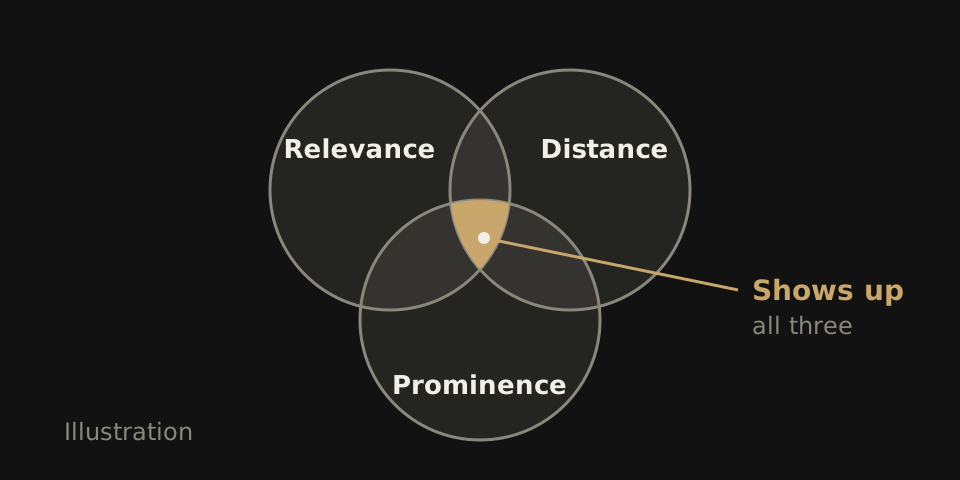
Google says local results are mainly based on relevance, distance and prominence. Here is each one from the patient’s side of the screen.
Relevance: does your profile match the search?
A parent searches “pediatric dentist open Saturday.” If your category and services say pediatric dentistry and your hours list Saturday, you match. If your profile says general dentist with weekday hours, the office down the street that lists both gets the click.
Distance: how close are you to the searcher?
A patient with a cracked tooth on the far side of town sees the nearest offices first. You cannot move your building, but you can make sure Google has your exact address.
Prominence: how well known is the practice?
Two orthopedic clinics sit a mile apart. Google says prominence reflects how many websites link to a business and how many reviews it has, so the clinic more patients have reviewed and more local sites link to has the edge.
Distance is fixed for each search. Relevance and prominence are yours to work on.
Ten terms, in plain words
The jargon agencies use, translated for a practice owner.
| Term | What it is | What it means for your practice |
|---|---|---|
| Business Profile | Your free listing on Google Search and Maps. | Claim and verify it. Patients see your hours, reviews and directions here first. |
| NAP consistency | Your name, address and phone, written the same way everywhere. | An old number on a directory sends new patients to a dead line. |
| Citation | A listing of your details on another site. | Insurer “find a doctor” lists count. Check that they show your current office. |
| Review | A patient’s rating and comment on your profile. | Ask real patients, reply, and keep health details out of your replies. |
| Category | Google’s label for what you are. | Choose the fewest that describe your core work. |
| Service area | The places a business travels to serve customers. | If patients visit your office, your address shows. Only a business with no storefront hides it. |
| Map pack | The few businesses shown with a map at the top of local results. | Where “near me” searches land first, filled from Business Profiles. |
| Organic result | The regular links below the map. | Your website’s job. A clear treatment page can show here when the map leaves you out. |
| Schema | Code on a page that tells search engines your business details directly. | Label each office’s name, address and hours, matching what the page shows. |
| Location page | A page on your site for one office. | Its own address, hours, doctors and directions. Not a copy with the town name swapped. |
For the order to fix these in, see our local SEO checklist. For more on markup, read what schema markup does.
What is different for doctors and dentists
A practice with four doctors and two offices faces profile questions a single shop never does. Google’s Business Profile guidelines answer them.
A doctor can have a profile of their own
An individual practitioner, such as a doctor or dentist, may have their own profile if they are public facing and patients can reach them at that location. They should not have one profile per specialization. An oral surgeon gets one, not one for implants and another for extractions.
One profile per office
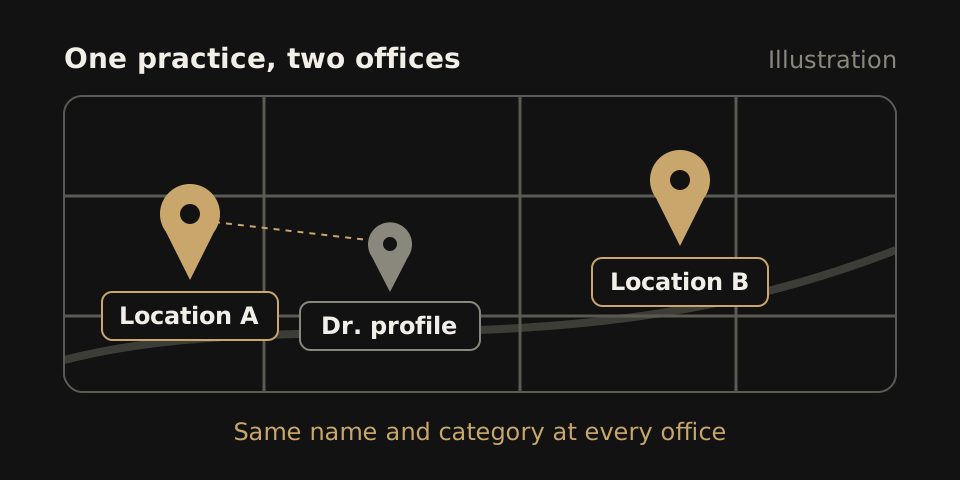
Google allows only one profile per business or location, each with an accurate address and regular patient-facing hours. A virtual office or mailbox is not eligible, so a mailing address in the next city cannot become another office.
Same name and category at every office
Multi-location groups should use the same name and category at each location. Patients then see one group, not three lookalikes.
The name on your sign, nothing else
Represent the practice as it is known in the real world. No keywords, taglines, phone numbers, URLs or hours in the name.
- Wrong: Example Dental Group, Best Emergency Dentist, Open Sat
- Right: Example Dental Group
What you can skip paying for
Some local SEO invoices cover things Google never asks for. Skip these:
- A paid ranking. Google says there is no way to request or pay for a better local ranking.
- A profile per specialty. One per office, one per public-facing practitioner.
- Keywords in your name. Your listing should match your sign.
- A long category list. Google asks for the fewest that describe your core work.
- Pages for towns you do not serve. A patient who lands on one finds no office there to visit.
- An llms.txt file to rank locally. It is optional and not a Google ranking requirement.
- Bought reviews. Fake or paid reviews break platform rules.
The part your website has to carry
Your profile tells Google where you are. Your website tells Google and the patient what you do there. For dental practices and any group with more than one office, that means one page per office that matches its profile.
A hypothetical example
Picture a two-office pediatric practice whose Westside profile lists Saturday hours, while the website’s only contact page shows the Eastside phone and weekday hours. A parent finds the Westside listing on Saturday morning, taps through, reads “closed Saturday,” and books elsewhere. The profile did its job. The website undid it.
Test each location page
- Address written as text, not only in a map image.
- A tappable phone number that rings that office.
- Hours that match the Business Profile, holidays included.
- Schema with the same name, address and hours the page shows.
- One detail true only of that office: its doctors, parking or insurers.
If two location pages could swap town names and still read the same, rewrite them. Read more on multi-location dental websites.
Check your own practice tonight
- Search your practice name on your phone. Do the address, phone and hours match your website?
- Search your main treatment plus “near me.” Note who shows in the map pack.
- Remove categories that do not describe your core work.
- Read your name exactly as Google shows it. Strip anything not on your sign.
- Check each doctor: one profile, at the office where patients can reach them.
- Reply to unanswered reviews and add current photos of your entrance.
Then tap the call and booking buttons on your own site. If either fails on a phone, fix that first.
If you want the website side built
WTM Studio, based in Miramar, Florida, builds custom websites for healthcare practices nationwide, including location pages and schema that match each office’s profile. Founder Ray Hussain leads every project. You see a free homepage concept, then one flat quote, with no required retainer, and you own what we build. See pricing or our quote comparison guide.